


Blog / Hot Springs GMC Dealership

Do You Need New Rotors With New Brake Pads?

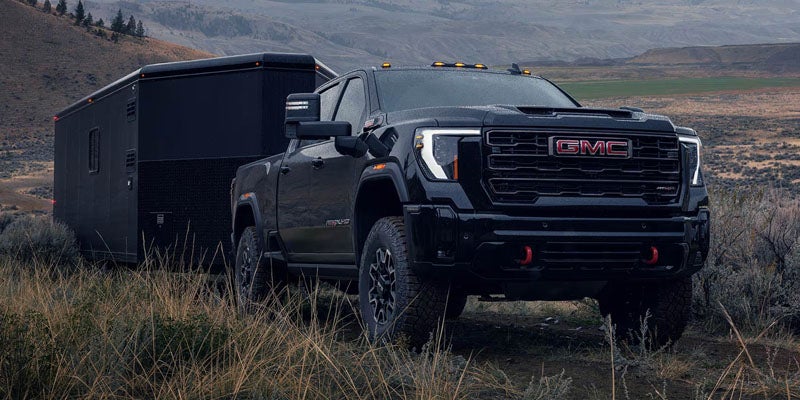
2026 GMC Sierra 3500 HD exterior showing the truck and its wheels.

New brake pads can go on your Buick or GMC with the existing rotors if those rotors meet thickness, surface and runout specifications. Ask the shop for each rotor’s measured thickness and the limit for that vehicle’s brake package. If the brake pedal pulses or the vehicle grinds while slowing on Highway 7 into Hot Springs, a brake inspection can narrow down the cause before parts are ordered.

By Allen Tillery Buick GMC

A 2026 GMC Sierra HD illustrates the brake pads and rotors guide. The exterior photo shows the truck and its wheels.

Key Numbers

  • Replace pads on both wheels of the same axle, even if 1 side has worn faster.
  • Ask for 2 readings for each rotor: its measured thickness and the minimum for the vehicle’s brake package.
  • In a sample thickness check, a cut from 29.4 mm to 28.8 mm would fall below a 29.0 mm machining limit.
  • A brake pad life display estimates pad wear and does not measure rotor thickness.

When can I keep the rotors and replace just the pads?

Keep the rotors when they meet the vehicle’s thickness and surface limits and the brake inspection shows they can be reused. The shop checks the accessible surfaces and measures the disc under the procedures for that brake package. Compare the 2 pads on each wheel because the pad visible through the wheel can have more material than the one inside. If only 1 pad on a wheel is worn, the technician checks whether the caliper slides or piston are sticking. After stop-and-go driving on Central Avenue, the pad you see through the wheel can have more friction material left than the inner pad the shop measures separately.

Brake pad measurements by axle

Ask for 4 pad readings in millimeters for the axle, one for the inner and one for the outer pad at each wheel. If the front pads are due and the rear set has more material, you can separate the two jobs in the estimate. Ask for the pad readings from your last inspection if you followed the Hot Springs brake maintenance schedule. They show which of the 2 axles is wearing faster.

How does the technician tell whether a rotor needs replacement?

The technician measures rotor thickness and compares the readings with the service specification for the vehicle and rotor. Surface damage, cracking or a rotor already below its minimum can call for replacement. If machining is allowed, get the estimated thickness after the cut. For instance, a rotor at 29.4 mm with a hypothetical 29.0-mm machining limit cannot lose 0.6 mm and stay above the limit. It would finish at 28.8 mm. Look up the specification for the actual Buick or GMC rather than using those figures to judge your own rotor.

Brake rotor measurements

Ask the shop which minimum it is using. Ask for the 2 rotor limits if they differ: the minimum after machining and the thickness at which the rotor is discarded. Give the VIN to the Buick GMC service department so the measurements in the estimate match the brakes on the vehicle you bring from Malvern or Benton.

Why does the pedal shake or grind when I brake?

A repeating pedal pulse during braking can lead the technician to measure rotor thickness variation and runout. Grinding can point to worn or damaged parts and warrants prompt inspection. If you feel a pulse slowing for a turn off Highway 70, tell the shop how fast you were going and whether it stopped when you released the pedal. A vibration felt at the same speed without pressing the pedal needs its own description. A pull that begins only when you brake is another symptom to put on the same work order.

Brake pedal and safety

If the pedal suddenly feels soft, there is a severe loss of braking or a brake-system warning comes on, pull over safely and follow the owner’s manual. If the pedal drops to the floor or braking is poor, park safely and arrange a tow. Request an inspection before taking it back into traffic around Hot Springs.

Does the brake pad monitor tell me the rotor condition?

No. On a GMC equipped with it, the Brake Pad Life display estimates material remaining on each monitored axle. It does not measure rotor thickness or the condition of the inside surface. Check the front and rear figures independently and show the advisor any warning. If you got a message on a trip from Arkadelphia but the noise began earlier in Benton, say when each began. A shop can compare the estimate with actual pad thickness if a sensor or uneven pad wear is suspected.

Brake checks after parking

After a wet night, some noise on the first stop can come from moisture or light surface corrosion. Noise that continues with repeated stops or a change in pedal feel belongs on the work order. Use the GM maintenance checklist to plan a routine inspection alongside other maintenance.

What should the brake estimate show before I approve work?

Ask for the axle, readings, parts and labor, with any rotor machining or replacement on its own line. At Allen Tillery Buick GMC on Central Avenue in Hot Springs, use the brake service scheduler to enter where you feel the vibration and at what speed. Request the pad measurements and both rotor measurements from the axle being serviced. Ask for parts and warranty terms in writing so you can tell what changes between the pad-only and pad-and-rotor repair estimates.

Brake service offers

The service and parts specials page is where to check for current brake offers. Read whether an offer includes inspection, pad installation and the correct brake package. Rotor machining, parts and tax may be separate depending on the terms.

Brake inspection appointment

Send the model, year and symptom through the dealership contact page. If you have an earlier inspection from a visit in Bryant, bring that record so the shop can compare the inner and outer pad readings by wheel.

Brake Pads and Rotors FAQs

Do all four wheels need pads at the same time?

The shop checks front and rear separately. Pads are replaced in axle sets when that axle needs them.

Can a rotor be machined more than once?

Only if its condition and the applicable machining specification allow it. Ask for the thickness it will have after the cut.

Does squealing mean I need both pads and rotors?

Squeal can be a wear indicator or another brake issue. The pad and rotor measurements tell you which parts are due.

Can I read the rotor condition from the dash?

The brake pad life display is an estimate for pads. A physical inspection supplies rotor measurements.

What should I report if the steering wheel shakes?

Say whether it shakes while you apply the brake, at a particular speed without braking, or in both cases. That gives the technician two conditions to check.
Posted in:

Related Posts

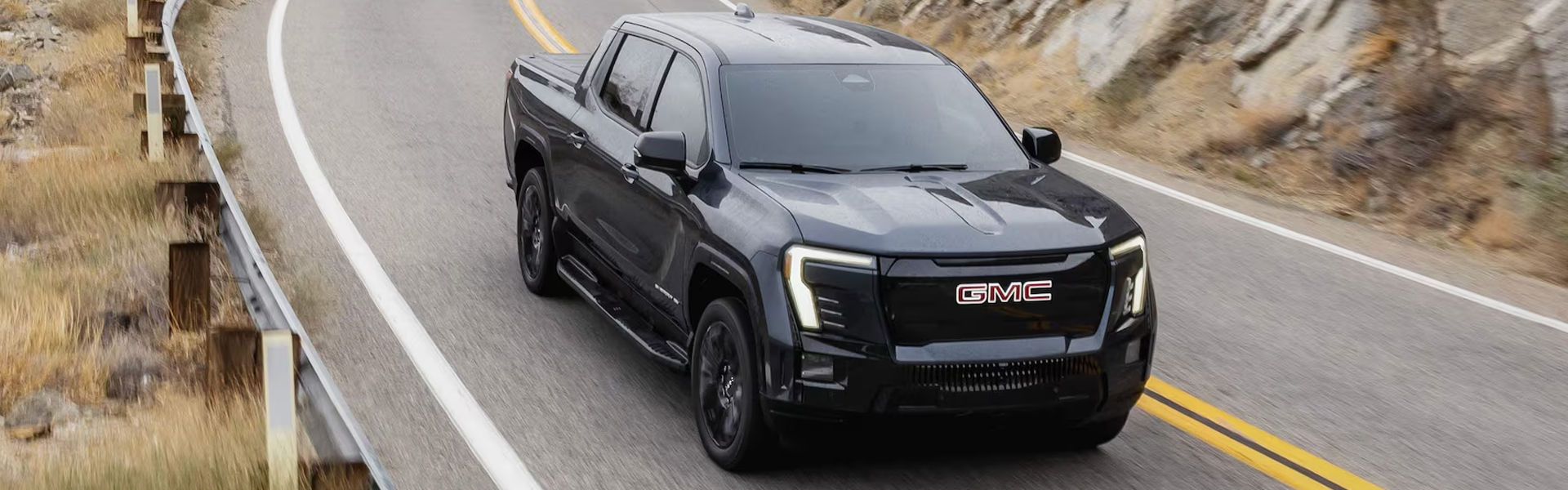
Black 2026 GMC Sierra EV driving on a curving road.

Does the 2026 GMC Sierra EV Have Apple CarPlay?

The 2026 GMC Sierra EV has no Apple CarPlay, but a compatible iPhone can make calls and play music through Bluetooth. With the truck in Park, add the iPhone from the touchscreen’s Phone menu. Select Bluetooth Audio to play your iPhone’s music or podcasts through the truck’s speakers on Highway 270 out of Hot Springs. By Allen Tillery Buick GMC Key Numbers Bluetooth carries calls and music from a compatible iPhone through the truck’s speakers. Google Maps runs on the 16.8-inch touchscreen. The 11-inch driver display can show vehicle information and maps. Google Maps uses the truck’s battery data to estimate charge on arrival and add charging stops. How do I pair my iPhone with the Sierra EV? Pair your iPhone through the Sierra EV’s Phone menu using Bluetooth pairing. Put the truck in Park and turn on Bluetooth under Settings on the iPhone. On the truck’s screen, open Phone and choose the option to connect or add a phone. Select the truck on the iPhone’s Bluetooth list and check that both screens show the same code before you confirm. Allow contact sharing if you want to call by name from the truck. If you share the truck with someone in Hot Springs, pair both phones while parked and see which one connects first when you return. Sierra EV contact sharing The Phone screen can use the contacts your iPhone shares. Decline that permission on a test drive if you only want to try audio. If the phone pairs but you can’t call a contact by name, look at the permissions for the truck under the iPhone’s Bluetooth settings. Remove your device from the truck before you hand back the keys. Can I play my iPhone music in the Sierra EV? Bluetooth Audio plays music, podcasts and audiobooks from the paired iPhone through the truck’s speakers. Start a favorite playlist on the iPhone while parked and choose Bluetooth as the audio source in the Sierra EV. Test pause and the next track from the dash. To hear the difference between streaming and a connection problem, download an episode on the phone before leaving Hot Springs for Malvern on Highway 270. The recorded audio can keep playing from the phone even where the phone’s cellular reception drops. Sierra EV USB charging Look for the charge and data ports listed for the truck you drive. On the drive to Lake Hamilton, a USB-C port can keep the iPhone charged while Bluetooth carries the audio. Plugging in the cable won’t bring up CarPlay. If a wireless charge pad is equipped, bring the case you normally use and check for the phone’s charging indicator before leaving the lot. How do I get directions and find chargers in the Sierra EV? Google Maps on the Sierra EV’s touchscreen can search for chargers and show an estimated battery percentage at the destination. Enter a destination from Hot Springs, then choose a route long enough to display charging options. If you want to stop in Benton on the way to Bryant, add it as a stop and see whether the estimated charge changes. A phone navigation app can still play spoken directions over Bluetooth when the phone is the active audio source. Use the truck’s map when you want the route to account for its charge. Sierra EV display controls The 11-inch driver display can show map information near the speed readout. Use the center display for destination entry, point-of-interest searches and rerouting before setting off. A Google account can bring supported saved places into the truck. Review the 2026 Sierra EV inventory for the truck you plan to try. Can I use Siri in the Sierra EV? Siri can answer requests on a compatible paired iPhone, while the truck’s onboard voice service handles commands through Google built-in. Start with a call to someone in your iPhone contacts and check which service responds. If you normally use the steering-wheel voice button, check the manual and test what a short press and a held press do on the truck you’re driving. Ask the onboard system for directions to a Hot Springs address if your usual request uses a destination you’ve saved only on the phone. Sierra EV audio and voice Play an audiobook first, then try a call. The Bluetooth call and media functions can be checked separately. If you hear the audiobook but can’t take the call through the speakers, verify that the paired device is selected for phone calls on the truck’s Phone screen. The GMC service department can check the truck’s settings if a phone that previously paired stops connecting. What should I try with my iPhone on a Sierra EV test drive? Test three things while parked first: one call, one playlist and one route with a charging stop. Bring the iPhone and the cable you take on a drive from Bryant or Malvern. Park at the dealership before pairing, then enter a real destination you visit from Hot Springs. Try the same commands you use during a commute on Highway 70. The GMC test-drive request can be used to ask for time with the exact truck you’re considering. Sierra EV paired-phone reconnect Turn the truck off and see if the iPhone connects when you restart. Check which source starts playing, and whether you can switch to a second device from the screen without deleting the first phone. Look through new GMC vehicles or ask about a trim through the dealership contact page before visiting Allen Tillery Buick GMC. Sierra EV finance details Use the GMC finance center after you’ve checked the equipment on a specific Sierra EV. If you need a wireless charge pad, use the truck’s equipment list or window sticker to confirm it. GMC Sierra EV iPhone FAQs Can a 2026 GMC Sierra EV get CarPlay with a cable? No. The 2026 GMC Sierra EV does not support Apple CarPlay. A cable can charge or serve other supported USB functions depending on the port and device. Can the Sierra EV read my iPhone contacts? The paired phone can share its contacts when you give it permission. Approve that request if you want names from your address book in the truck’s Phone menu. Can I use the Sierra EV map without my iPhone? Yes. Google Maps is built into the infotainment system. Availability of live traffic, current charger information and other online features depends on the truck’s connection and service. Does Google Maps tell me how much charge I’ll have left? The EV routing view estimates your battery charge at arrival. Watch how that estimate changes as you add stops to a trip from Hot Springs. Can I remove my iPhone after a Sierra EV test drive? Yes. Open the list of connected devices on the truck and remove your phone. On the iPhone, open Bluetooth settings and choose to forget the truck if you won’t pair again.

Exterior view of a 2026 GMC Sierra 1500

GMC Sierra 1500 Cameras for the Boat Ramp

The 2026 GMC Sierra 1500 comes with Hitch View and HD Surround Vision on AT4, AT4X, Denali and Denali Ultimate. Hitch View gives you a close-up to line up the ball and coupler. Rear Side View lets you see along the truck and trailer as the boat starts to turn on the ramp. By Allen Tillery Auto Buick GMC Key Numbers AT4 and AT4X include the hitch close-up and surround cameras without adding a camera package. Both Denali trims include them too. On eligible SLE, Elevation and SLT trucks, order Sierra Safety Plus for the overhead camera system. Hitch Guidance gives you a line to follow on approach. Hitch View is the close picture for the last few inches. Rear Side View uses the side cameras to show space alongside the trailer on the ramp. Transparent Trailer View takes an accessory camera and a compatible box trailer up to 32 feet long. What does GMC Hitch View show when I back up to my boat? Use the Hitch View close-up to place the ball under the trailer coupler. On the approach, the regular rear camera shows a wider area behind the bumper where you can see the tongue and both sides of the trailer’s approach. Once the truck is close, the tighter view shows how much farther the ball has to move. A Sierra coming from Benton to Lake Hamilton may hitch up in a driveway with room on only one side. The wide camera view lets you see the space behind the bumper as the truck turns into line. Once the coupler is locked and the chains and plug attached, an equipped truck’s in-dash trailering app can cycle the trailer lights while you walk around the boat. Which Sierra camera helps when I back down the Lake Hamilton ramp? Rear Side View shows the space beside the rig when the trailer starts to turn. On the Lake Hamilton ramp, one side of the screen can show the dock side while you check the other edge in the mirrors. That side view is most useful once the boat is already past the back of the pickup. The Sierra offers up to 14 camera views. Front and rear top-down views show the space beside the bumpers. Front Side View looks down the sides ahead of the rear wheels. The Bed View camera shows what is in the pickup bed. Some views, including the Rear Camera Mirror, need additional equipment. Use the overhead HD Surround Vision view higher up the ramp near curbs, posts or parked trailers. The image centers on the pickup, so the mirrors and side views can show more of the boat once it is well behind the bumper. Which Sierra 1500 should I look for if I launch a boat every weekend? For weekly launches, look for a truck with the surround cameras and the hitch close-up already installed. The four trims that include both give you a picture around the pickup and a close-up of the connection without adding a camera to the boat trailer. An SLE, Elevation or SLT with Sierra Safety Plus gets HD Surround Vision and Trailer Camera Provisions. Available trailering equipment can also give those trims Hitch View. The Pro has a straight-back HD Rear Vision Camera. The equipment details for the GMC trucks at Allen Tillery Buick GMC show which views each truck has. Will Transparent Trailer View work with my boat trailer? GMC supports Transparent Trailer View on compatible box trailers up to 32 feet with a camera at the back. The truck combines that picture with its own cameras. An open boat trailer is better served by the hitch close-up and the side-camera angles. An enclosed gear trailer may qualify for the transparent picture. GMC also describes Rear Trailer View, which uses an accessory camera to show the area immediately behind a compatible trailer, and Inside Trailer View for seeing cargo from a camera mounted inside. A truck with Trailer Camera Provisions has the connection for compatible equipment. The GMC parts desk can match an accessory to the pickup and its camera connections. What else should my Sierra have for a boat trip on Highway 70? The truck’s tow rating needs to cover the boat and trailer with fuel and gear aboard. The load on the ball also counts against the Sierra’s carrying allowance for passengers and cargo. The 2026 Sierra 1500 towing ratings break the limits down by engine, cab, drivetrain and towing package for trips from Bryant to Lake Catherine. The available In-Vehicle Trailering App can keep a profile for each trailer, including its hitch type and dimensions. That saves re-entering the boat’s information when you switch to a work trailer during the week. The GMC service department handles the truck’s maintenance when it regularly tows from Malvern or Arkadelphia. At Allen Tillery Auto Buick GMC on Central Avenue, you can try the hitch close-up, overhead view and side cameras on an equipped truck. The store hours and directions show where to stop in Hot Springs before continuing toward Lake Hamilton. Frequently Asked Questions Can I see the pickup’s corners without a camera on the trailer? Yes. HD Surround Vision uses the cameras on the pickup. It can show the Sierra’s position around ramp curbs or posts before you get the boat into the water. What is the difference between Sierra Safety Plus and a trailer camera? Safety Plus gives eligible trucks the pickup’s surround cameras and the provisions to connect an accessory trailer camera. The trailer camera is a separate piece of hardware. Can the Sierra cycle the trailer lights while I walk around the boat? Yes, on a truck with the in-dash trailering app and its light test. Connect the trailer’s electrical plug before starting the test. Which camera can show objects behind a compatible trailer? Mount the compatible accessory camera at the back of the trailer and use Rear Trailer View. Its view starts where the pickup’s own rear camera is blocked by the trailer. Can I use Transparent Trailer View with an open boat trailer? The supported conventional setup uses an enclosed trailer and a camera at the rear. Use the truck’s side views and mirrors to follow an open boat trailer as it turns. Does the Sierra save more than one trailer profile? On trucks with the trailering app, the boat trailer and a separate work trailer can each have their own profile. Allen Tillery Auto Buick GMC · 4573 Central Ave, Hot Springs, AR 71913 · (501) 881-4160 Contact Allen Tillery Buick GMC Explore GMC purchase options

2026 GMC Acadia exterior

2026 GMC Acadia Maintenance Before a Hot Trip

Before a hot-weather road trip, the three things to look at on a 2026 GMC Acadia are the coolant level with the engine cold, the tire pressures before driving and the battery if the engine has started cranking slowly. GMC calls for a coolant change at 150,000 miles or six years, whichever comes first. GMC calls for a tire-pressure check at least monthly and a tire rotation every 7,500 miles. By Allen Tillery Auto Buick GMC Key Numbers GMC schedules a 2026 Acadia coolant change at 150,000 miles or six years. The Acadia uses a 50/50 mix of DEX-COOL coolant and clean drinking water. For a cold reading, check pressure before driving after the Acadia has been parked for at least 3 hours. The Acadia's tires are due for rotation every 7,500 miles. A slow start calls for a 12-volt battery test and a check for a loose or corroded cable connection. When does a 2026 Acadia need new coolant? Coolant is due for replacement at six years or 150,000 miles, whichever comes first. Use half DEX-COOL and half clean drinking water. With the engine cold, the mark on the clear tank shows where the level should sit. A tank that keeps dropping can indicate a leak even with years left on the coolant. GMC Certified Service can trace a coolant leak at the tank, hoses or radiator. The 2026 Acadia manual gives the correct fluid and cold-level procedure. After a highway drive, keep the cap on while the system is hot and under pressure. What tire pressure should I use on the Acadia? Use the cold pressure on the driver’s door label for the front and rear tires. Take the driveway reading before the tires warm up, after three hours parked. The higher number molded into the sidewall is the tire’s own limit. Interstate 30 between Benton and Bryant can warm the tires enough to raise the reading you saw in the driveway. A tire that needs air every few days may have a slow leak even if its warning clears after you fill it. The GMC maintenance checklist includes both the tire and fluid checks you can have done at a pre-trip visit. Why does an Acadia turn over slowly in hot weather? A weak 12-volt battery or a loose or corroded cable can make an Acadia turn slowly at startup. The battery test checks the starting power it can still deliver, and the cable inspection checks how much power can get to the starter. The dash lights can come on even with a battery that tests weak. A hot restart after a stop near Lake Catherine can expose a slow-crank problem that was easy to miss at home. The service schedule lets owners coming through Malvern or Arkadelphia reserve time for battery and cooling checks during the same visit. What if the Acadia shows an overheating warning? If steam is coming from under the hood, pull over safely, turn the engine off and wait for it to cool. Leave the cap closed until the cooling system is safe to open. Repeated warnings or a drop in the tank level call for an inspection before another drive on Highway 270. Weak cabin airflow can come from a dirty passenger-compartment filter. GMC schedules that filter at 22,500 miles or 24 months. A rising engine temperature gauge calls for a cooling-system check. Drivers researching a 2026 GMC Acadia can also find the Hot Springs service hours for cooling work at the Central Avenue location. What else should I check before loading an Acadia for the drive? Check tread, sidewalls and the cold pressure on the road tires and spare, if equipped. A nail, a bulge or tread worn thin on one edge can turn into a problem on a long highway drive. The Tire and Loading Information label also gives the weight allowance for bags and passengers. If the Acadia has GMC’s compact spare, set it to 60 psi cold. Checking the spare at the same time as the road tires can catch a low spare before it is the only tire you have to replace a flat. 2026 GMC Acadia summer maintenance FAQs Does low mileage put off the coolant change? Six years is the time limit even on a low-mileage Acadia. An Acadia that reaches 150,000 miles sooner is due at that mileage. How often should I rotate the tires? Every 7,500 miles. Tread that wears down on just one edge is worth checking earlier for a pressure or alignment problem. Should I lower the pressure when a hot tire reads high? Let the Acadia sit and take another reading after the tires have cooled. Letting air out at the end of a long highway leg can leave the tire low the following morning, when it is back at driveway temperature. When does the Acadia need its engine oil changed? GMC allows up to 600 miles after Change Engine Oil Soon. It also calls for fresh oil and a filter at least once a year, so a low-mileage Acadia can be due even with no warning. What should a pre-trip inspection cover? The inspection can include a cooling-system leak check, tire tread and pressure, battery starting power and cables, brake condition and remaining oil life. Contact Allen Tillery Buick GMC in Hot Springs about a pre-trip inspection for your Acadia. The service appointment page is another way to reserve a visit before your drive toward Benton or Arkadelphia.