


Blog / GMC Yukon

What Fits in a 2027 GMC Yukon for Lake Ouachita

2027 GMC Yukon & Yukon XL For Sale Hot Springs Arkadelphia Arkansas Dealer

Local Buyer's Guide


A boat on the hitch and a full third row of passengers pull against the same weight ratings. Here's how to plan a trip to Lake Ouachita without guessing.

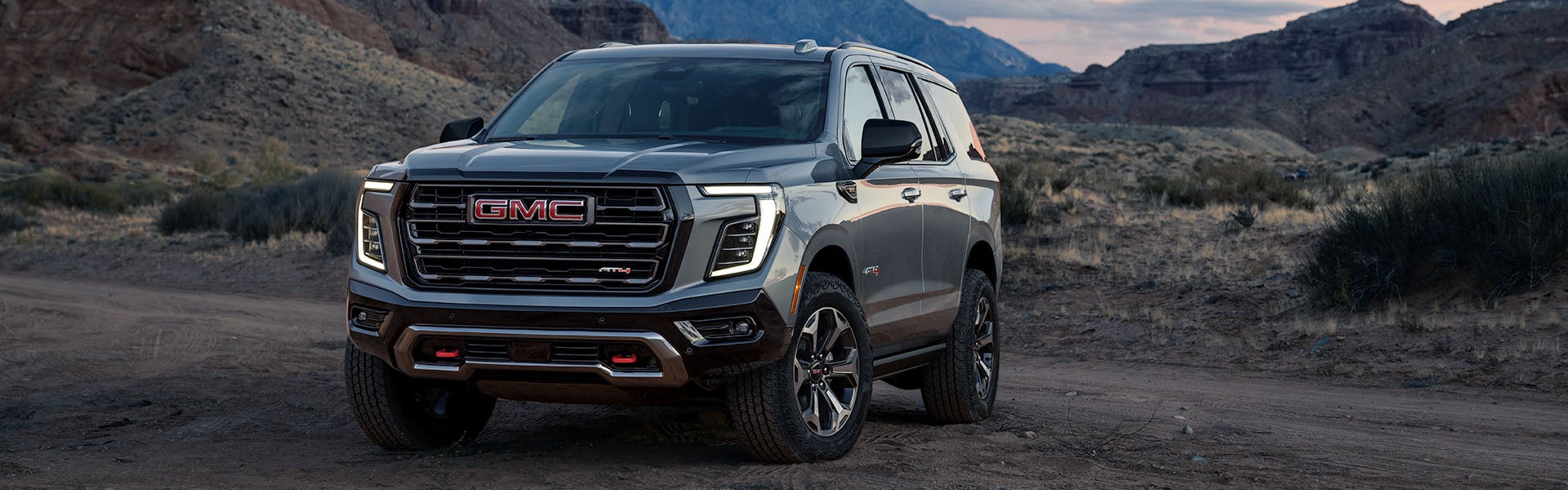
2027 GMC Yukon AT4 parked on a wide desert canyon road, silver exterior side profile

A week at Lake Ouachita with the whole family means more than swimsuits and coolers: a boat or jet skis on a trailer, bikes, a week of groceries, and everyone's actual luggage, not just a duffel bag each. Before you commit to a specific trim, it's worth working through what a 2027 GMC Yukon can actually carry and pull at the same time, because "seats 8" and "tows 8,400 lbs" don't automatically mean both at once.

Key Numbers

  • Up to 8,400 lbs of max trailering, properly equipped.
  • 25.5 cu ft of cargo room with all three rows in use.
  • Max payload of 2,017 lbs, separate from whatever's on the hitch.
  • 122.8 cu ft of max cargo room with the third row folded.

Start With What You're Towing

Properly equipped, the 2027 Yukon tows up to 8,400 lbs, which covers most pontoon boats, ski boats and mid-size travel trailers common on Lake Ouachita and Lake Hamilton. That figure depends on your engine, drivetrain and trailering equipment, so the exact number for your specific truck matters more than the headline max. If towing is the main reason you're looking at a Yukon at all, the Trims and Pricing page breaks down which configurations get you there, and AT4's factory trailering-ready hardware is worth a look if you launch a boat regularly.

Then Figure Out What's Left for Cargo

Here's the part that catches families off guard: towing capacity and cargo capacity are two separate numbers, and a fully loaded interior plus a loaded trailer both count against the same GVWR and GCWR ceilings. The standard Yukon carries 122.8 cu ft of max cargo room with the third row folded, or 25.5 cu ft with all three rows in use and everyone aboard, which is realistically what you're working with on a trip where the whole family rides along. Max payload runs 2,017 lbs on top of the truck's own weight, separate from whatever's on the hitch. If you routinely need more room behind a full third row, the Yukon vs Yukon XL comparison lays out exactly how much more the longer XL gives you, and it's often the deciding factor for families who camp or boat every weekend rather than a few times a summer.

Packing the Third Row Without Losing the Trip

With three kids and a week of gear, the math that actually works for most families is: third row up for the kids, cargo area for coolers and bikes, and roof-mounted or hitch-mounted carriers for anything that doesn't fit inside. The standard Yukon's 25.5 cu ft behind the third row handles a cooler, a couple of duffel bags and folding chairs; it does not handle bikes or a full week of luggage for five on top of that. That's exactly the gap a hitch-mounted cargo carrier or a roof box solves cheaply, and it's worth planning for before the trip, not in the driveway the morning you leave.

Which Trim Actually Fits This Use Case

AT4 makes the most sense if you're launching a boat from an unpaved ramp or driving a gravel road into a campsite: the factory skid plate, all-terrain tires and Magnetic Ride Control earn their keep there. Denali and up make more sense if your trip is highway miles and a paved boat ramp, where Super Cruise and the more comfortable cabin matter more than ground clearance. Every trim shares the same 8,400-lb towing ceiling and cargo dimensions, so the choice comes down to the terrain you're actually driving, not the capability on paper. The full trim-by-trim breakdown, including which engine comes standard on which trim, is on the Trims and Pricing page.

Before You Load Up: A Quick Pre-Trip Check

Towing season is exactly when a quick service visit pays for itself: tire pressure and tread with a loaded trailer in mind, a brake inspection if you haven't towed since last summer, and a trailer light and brake controller check if it's been sitting. Our service team can run all of this in one visit before you head out, and it's a lot cheaper than finding a problem halfway to the lake. Full service intervals and what's covered under warranty are on the Service and Maintenance page.

See the Full Picture Before You Decide

Every dimension, weight rating and cargo figure referenced above, plus the ones we didn't have room for here, is on the Specs and Dimensions page. Pricing across all five trims and engines is on the Yukon Overview, and the 2027 GMC Yukon research hub covers every trim, price and feature.

Allen Tillery Buick GMC stocks the Yukon lineup in Hot Springs and regularly outfits families from Arkadelphia, Hope and Bryant for exactly this kind of trip. Bring your gear list and your typical passenger count in, and our team will walk you through which configuration actually fits both, not just one or the other. More trip-planning and buying questions are answered on the Yukon FAQs page.

Trip-Planning FAQs

Can a 2027 Yukon tow a boat and carry a full third row of passengers at the same time?

Yes, within its GVWR and payload ratings. The 8,400-lb towing ceiling and the 2,017-lb payload are separate limits, so a fully loaded interior and a properly matched trailer can both be within spec at once, but check both figures for your specific configuration rather than assuming the maximums stack freely.

How much cargo room is left with all three rows in use?

25.5 cu ft behind the third row on the standard Yukon, enough for coolers and soft bags but tight for bikes or a full week of luggage for five without a roof or hitch carrier.

Is the Yukon XL worth it for a family that camps or boats every weekend?

Often, yes. The XL's extra cargo room at every row and its added third-row legroom matter most for families who load up regularly rather than a few times a season.

Which Yukon trim is best for launching a boat from a gravel ramp?

AT4, for the factory skid plate, all-terrain tires and Magnetic Ride Control that handle unpaved ramps and campsite roads better than the on-road-focused trims.

What should I have checked before a long tow to the lake?

Tire pressure and tread, brakes, and your trailer's lights and brake controller connection, especially if the trailer has been sitting since last season. Our service team can check all of it in one pre-trip visit.

Does towing a trailer reduce how much the Yukon can carry inside the cabin?

Yes, in the sense that both draw against the same overall weight ratings. A heavily loaded interior reduces your remaining margin for tongue weight, and vice versa, which is why matching your actual load, not just the maximums, is the right way to plan a trip.

Plan your Yukon around your actual trip, not just the spec sheet

Bring your gear list and passenger count in, and we'll match you to the right configuration.

Posted in:

Related Posts

2026 GMC Yukon Hot Springs dealership AR

2026 GMC Yukon Test Drive Checklist Hot Springs AR

Allen Tillery Buick GMC | 4573 Central Ave, Hot Springs, AR 71913 | (501) 881-4160 Budget about 45 minutes and bring three things: the car seats you actually use, whatever you load on a Saturday, and the person who will be riding in the third row most often. A full-size SUV test drive that stays on a flat mile of pavement tells you almost nothing. The loop below is the one our sales team runs with Yukon shoppers, and it is built to answer the questions that come up two months after delivery instead of the ones that come up in the showroom. The 2026 GMC Yukon comes in five trims and two body lengths, so most of this is about narrowing rather than deciding cold. If you want the full picture before you drive, the 2026 Yukon research hub collects every topic guide in one place. Otherwise, read this on the way over and we will have keys ready. Schedule a Test Drive View Yukon Inventory Two Things to Settle Before You Arrive The first is body length, and it is the decision that changes everything downstream. The standard Yukon measures 210.1 inches long on a 121.0-inch wheelbase. The Yukon XL stretches to 225.2 inches on a 134.0-inch wheelbase. That is roughly 15 inches, which sounds small on paper and feels significant in a garage. Cargo behind the third row goes from 25.5 cubic feet in the Yukon to 41.5 in the XL. Our Yukon vs Yukon XL comparison puts the two side by side if you want the numbers before you commit to a body style, and each has its own landing page: the standard Yukon and the Yukon XL. The second is a rough trim zone. Elevation carries a base MSRP from $69,600, and Denali Ultimate tops the ladder at $103,900 MSRP, with AT4, Denali, and AT4 Ultimate filling the space between. You do not need to pick the exact trim before you drive, but knowing whether you are shopping the lower half or the upper half saves a lot of time. The trims and pricing breakdown lays out what changes at each step. MSRP excludes destination charges, taxes, and dealer fees. The Loop: Central Avenue Out to the Highways We start in traffic on purpose. The stop-and-go stretch near the dealership is where you feel how the throttle is tuned at low speed and how much of the hood you can see over. Pay attention to how quickly you get comfortable placing the front corners, because that instinct is what makes a full-size SUV easy or tiring to live with. From there we head toward Highway 270 and open it up. The Yukon offers a 5.3L V8 rated at 355 horsepower and 383 lb-ft of torque, an available 6.2L V8 at 420 horsepower and 460 lb-ft, and an available Duramax 3.0L Turbo-Diesel. They feel different in a way no spec sheet conveys, particularly on an on-ramp with the family aboard. Drive whichever one is on the lot, then read the engine specifications to see how the three compare on paper. If a trailer is anywhere in your plans, tell us before the drive: properly equipped with the 5.3L V8, 2WD and a conventional hitch, the lineup tows up to 8,400 lbs, and the right setup depends on the engine and drivetrain you choose. The highway leg is also where to try Super Cruise, available on select Yukon trims, if the vehicle has it. Hands-free driving is one of those features that reads as a gimmick until you use it on a long straight stretch, and then it changes how you think about the drive to Little Rock. Ask us to set it up rather than working it out yourself, and see the technology and safety guide for how the 16.8-inch display and driver-assist features are laid out. Then we take the scenic run up Highway 7 for a few miles. Lake-season weekends put boat traffic on two-lane highways for months at a time, so the way a big SUV handles a rolling two-lane with something slow ahead of you is worth knowing before you own one. Bring What You Actually Haul This is the step people skip and later wish they had not. Cargo numbers are useful, but the honest test is whether your specific gear fits with the seats in the configuration you will actually use. Bring the stroller. Bring the cooler and the folding chairs you take to Oaklawn on a race weekend. Bring the golf bags if that is a regular thing. Load it in the parking lot with the third row up, because that is how most families drive most of the time. The standard Yukon opens to 122.8 cubic feet with the seats folded, detailed on the Yukon cargo and dimensions page. The XL reaches 144.5 cubic feet, covered on the Yukon XL cargo and dimensions page. Both seat up to eight. If everything fits in the shorter body with room to spare, that is a real answer, and it usually points you to the Yukon. Park It Where You Will Park It Measure your garage before you come in. It takes two minutes and it settles the body-length question faster than any comparison chart. The same goes for a carport, a covered space at a Diamondhead address, or a tight alley behind a downtown building. On the drive, use the parking cameras rather than avoiding them. Back into a space. Pull into a spot on Central Avenue. The surround-view camera system available on select trims, and the way the mirrors are set up, matter more day to day than almost anything else on the window sticker, and five minutes of practice in the lot tells you whether the vehicle will feel manageable in three weeks. Ask About the Years After the Sale The last part of a good test drive happens at the desk. Ask what maintenance actually looks like, because a full-size SUV with a V8 has a rhythm to it and knowing that rhythm makes budgeting easier. Our Yukon maintenance schedule guide walks through the intervals and what each visit covers. Long humid summers and short ice-storm winters age batteries and wiper blades faster here than the mileage on the odometer suggests, which is worth planning around. Our service department is at the same address, and you can schedule service online once the vehicle is yours. The service line is 501-881-4486. If you have a vehicle to trade, start a trade appraisal before you come in so the numbers are ready, and take a look at financing options while you are at it. Doing both in advance is what turns a two-hour visit into a one-hour visit. Which Yukon to Ask for Keys To A starting point based on how people around here actually use them: Growing family, two-car garage, mostly local driving: start with the standard Yukon in Elevation. It covers the everyday job well and leaves budget for the options that matter to you. Third row occupied by adults, or regular long hauls with luggage: drive the Yukon XL first. The extra cargo behind the third row is the difference-maker on a real trip. Gravel roads, lake access, and a boat behind you: ask for an AT4 and mention the trailer up front so we can talk through the right towing setup. Highway miles most weeks and a preference for quiet: drive a Denali or Denali Ultimate with Super Cruise engaged and judge it on the highway leg, not the parking lot. Common Questions Before a Yukon Test Drive How long should I plan for a Yukon test drive? Plan on about 45 minutes for the drive itself. That covers a stop-and-go stretch, a highway leg, and time in the lot to load cargo and practice parking. Add another 30 minutes if you want to review numbers at the desk the same visit. Can I drive both the Yukon and the Yukon XL on the same visit? Yes, and we recommend it if you are undecided on body length. Driving them back to back is the clearest way to feel the 15-inch difference. Call ahead at (501) 881-4160 so we can have both ready. Should I bring my car seats to the test drive? Bring them. Installing your own car seats in the second row, then checking third-row access with them in place, answers a question that specifications cannot. It is the most useful thing families bring with them, in our experience. What should I decide before I arrive? Two things: whether you want the standard Yukon or the longer XL, and roughly where in the five-trim ladder your budget sits. Everything else is easier to sort out with the vehicle in front of you. More answers are collected on the 2026 Yukon FAQ page. Come Drive One We keep the Yukon lineup in stock in a range of trims at 4573 Central Ave. Browse current Yukon inventory, schedule a test drive, or contact us with questions before you come in. Family-owned since 1967, and happy to hand you the keys and let the vehicle do the talking. Schedule Your Test Drive Explore the Yukon Research Hub MSRP excludes destination charges, taxes, and dealer fees. Maximum trailering figures require properly equipped vehicles. Features and availability vary by trim.

Black 2026 GMC Sierra EV driving on a curving road.

Does the 2026 GMC Sierra EV Have Apple CarPlay?

The 2026 GMC Sierra EV has no Apple CarPlay, but a compatible iPhone can make calls and play music through Bluetooth. With the truck in Park, add the iPhone from the touchscreen’s Phone menu. Select Bluetooth Audio to play your iPhone’s music or podcasts through the truck’s speakers on Highway 270 out of Hot Springs. By Allen Tillery Buick GMC Key Numbers Bluetooth carries calls and music from a compatible iPhone through the truck’s speakers. Google Maps runs on the 16.8-inch touchscreen. The 11-inch driver display can show vehicle information and maps. Google Maps uses the truck’s battery data to estimate charge on arrival and add charging stops. How do I pair my iPhone with the Sierra EV? Pair your iPhone through the Sierra EV’s Phone menu using Bluetooth pairing. Put the truck in Park and turn on Bluetooth under Settings on the iPhone. On the truck’s screen, open Phone and choose the option to connect or add a phone. Select the truck on the iPhone’s Bluetooth list and check that both screens show the same code before you confirm. Allow contact sharing if you want to call by name from the truck. If you share the truck with someone in Hot Springs, pair both phones while parked and see which one connects first when you return. Sierra EV contact sharing The Phone screen can use the contacts your iPhone shares. Decline that permission on a test drive if you only want to try audio. If the phone pairs but you can’t call a contact by name, look at the permissions for the truck under the iPhone’s Bluetooth settings. Remove your device from the truck before you hand back the keys. Can I play my iPhone music in the Sierra EV? Bluetooth Audio plays music, podcasts and audiobooks from the paired iPhone through the truck’s speakers. Start a favorite playlist on the iPhone while parked and choose Bluetooth as the audio source in the Sierra EV. Test pause and the next track from the dash. To hear the difference between streaming and a connection problem, download an episode on the phone before leaving Hot Springs for Malvern on Highway 270. The recorded audio can keep playing from the phone even where the phone’s cellular reception drops. Sierra EV USB charging Look for the charge and data ports listed for the truck you drive. On the drive to Lake Hamilton, a USB-C port can keep the iPhone charged while Bluetooth carries the audio. Plugging in the cable won’t bring up CarPlay. If a wireless charge pad is equipped, bring the case you normally use and check for the phone’s charging indicator before leaving the lot. How do I get directions and find chargers in the Sierra EV? Google Maps on the Sierra EV’s touchscreen can search for chargers and show an estimated battery percentage at the destination. Enter a destination from Hot Springs, then choose a route long enough to display charging options. If you want to stop in Benton on the way to Bryant, add it as a stop and see whether the estimated charge changes. A phone navigation app can still play spoken directions over Bluetooth when the phone is the active audio source. Use the truck’s map when you want the route to account for its charge. Sierra EV display controls The 11-inch driver display can show map information near the speed readout. Use the center display for destination entry, point-of-interest searches and rerouting before setting off. A Google account can bring supported saved places into the truck. Review the 2026 Sierra EV inventory for the truck you plan to try. Can I use Siri in the Sierra EV? Siri can answer requests on a compatible paired iPhone, while the truck’s onboard voice service handles commands through Google built-in. Start with a call to someone in your iPhone contacts and check which service responds. If you normally use the steering-wheel voice button, check the manual and test what a short press and a held press do on the truck you’re driving. Ask the onboard system for directions to a Hot Springs address if your usual request uses a destination you’ve saved only on the phone. Sierra EV audio and voice Play an audiobook first, then try a call. The Bluetooth call and media functions can be checked separately. If you hear the audiobook but can’t take the call through the speakers, verify that the paired device is selected for phone calls on the truck’s Phone screen. The GMC service department can check the truck’s settings if a phone that previously paired stops connecting. What should I try with my iPhone on a Sierra EV test drive? Test three things while parked first: one call, one playlist and one route with a charging stop. Bring the iPhone and the cable you take on a drive from Bryant or Malvern. Park at the dealership before pairing, then enter a real destination you visit from Hot Springs. Try the same commands you use during a commute on Highway 70. The GMC test-drive request can be used to ask for time with the exact truck you’re considering. Sierra EV paired-phone reconnect Turn the truck off and see if the iPhone connects when you restart. Check which source starts playing, and whether you can switch to a second device from the screen without deleting the first phone. Look through new GMC vehicles or ask about a trim through the dealership contact page before visiting Allen Tillery Buick GMC. Sierra EV finance details Use the GMC finance center after you’ve checked the equipment on a specific Sierra EV. If you need a wireless charge pad, use the truck’s equipment list or window sticker to confirm it. GMC Sierra EV iPhone FAQs Can a 2026 GMC Sierra EV get CarPlay with a cable? No. The 2026 GMC Sierra EV does not support Apple CarPlay. A cable can charge or serve other supported USB functions depending on the port and device. Can the Sierra EV read my iPhone contacts? The paired phone can share its contacts when you give it permission. Approve that request if you want names from your address book in the truck’s Phone menu. Can I use the Sierra EV map without my iPhone? Yes. Google Maps is built into the infotainment system. Availability of live traffic, current charger information and other online features depends on the truck’s connection and service. Does Google Maps tell me how much charge I’ll have left? The EV routing view estimates your battery charge at arrival. Watch how that estimate changes as you add stops to a trip from Hot Springs. Can I remove my iPhone after a Sierra EV test drive? Yes. Open the list of connected devices on the truck and remove your phone. On the iPhone, open Bluetooth settings and choose to forget the truck if you won’t pair again.

Exterior view of a 2026 GMC Sierra 1500

GMC Sierra 1500 Cameras for the Boat Ramp

The 2026 GMC Sierra 1500 comes with Hitch View and HD Surround Vision on AT4, AT4X, Denali and Denali Ultimate. Hitch View gives you a close-up to line up the ball and coupler. Rear Side View lets you see along the truck and trailer as the boat starts to turn on the ramp. By Allen Tillery Auto Buick GMC Key Numbers AT4 and AT4X include the hitch close-up and surround cameras without adding a camera package. Both Denali trims include them too. On eligible SLE, Elevation and SLT trucks, order Sierra Safety Plus for the overhead camera system. Hitch Guidance gives you a line to follow on approach. Hitch View is the close picture for the last few inches. Rear Side View uses the side cameras to show space alongside the trailer on the ramp. Transparent Trailer View takes an accessory camera and a compatible box trailer up to 32 feet long. What does GMC Hitch View show when I back up to my boat? Use the Hitch View close-up to place the ball under the trailer coupler. On the approach, the regular rear camera shows a wider area behind the bumper where you can see the tongue and both sides of the trailer’s approach. Once the truck is close, the tighter view shows how much farther the ball has to move. A Sierra coming from Benton to Lake Hamilton may hitch up in a driveway with room on only one side. The wide camera view lets you see the space behind the bumper as the truck turns into line. Once the coupler is locked and the chains and plug attached, an equipped truck’s in-dash trailering app can cycle the trailer lights while you walk around the boat. Which Sierra camera helps when I back down the Lake Hamilton ramp? Rear Side View shows the space beside the rig when the trailer starts to turn. On the Lake Hamilton ramp, one side of the screen can show the dock side while you check the other edge in the mirrors. That side view is most useful once the boat is already past the back of the pickup. The Sierra offers up to 14 camera views. Front and rear top-down views show the space beside the bumpers. Front Side View looks down the sides ahead of the rear wheels. The Bed View camera shows what is in the pickup bed. Some views, including the Rear Camera Mirror, need additional equipment. Use the overhead HD Surround Vision view higher up the ramp near curbs, posts or parked trailers. The image centers on the pickup, so the mirrors and side views can show more of the boat once it is well behind the bumper. Which Sierra 1500 should I look for if I launch a boat every weekend? For weekly launches, look for a truck with the surround cameras and the hitch close-up already installed. The four trims that include both give you a picture around the pickup and a close-up of the connection without adding a camera to the boat trailer. An SLE, Elevation or SLT with Sierra Safety Plus gets HD Surround Vision and Trailer Camera Provisions. Available trailering equipment can also give those trims Hitch View. The Pro has a straight-back HD Rear Vision Camera. The equipment details for the GMC trucks at Allen Tillery Buick GMC show which views each truck has. Will Transparent Trailer View work with my boat trailer? GMC supports Transparent Trailer View on compatible box trailers up to 32 feet with a camera at the back. The truck combines that picture with its own cameras. An open boat trailer is better served by the hitch close-up and the side-camera angles. An enclosed gear trailer may qualify for the transparent picture. GMC also describes Rear Trailer View, which uses an accessory camera to show the area immediately behind a compatible trailer, and Inside Trailer View for seeing cargo from a camera mounted inside. A truck with Trailer Camera Provisions has the connection for compatible equipment. The GMC parts desk can match an accessory to the pickup and its camera connections. What else should my Sierra have for a boat trip on Highway 70? The truck’s tow rating needs to cover the boat and trailer with fuel and gear aboard. The load on the ball also counts against the Sierra’s carrying allowance for passengers and cargo. The 2026 Sierra 1500 towing ratings break the limits down by engine, cab, drivetrain and towing package for trips from Bryant to Lake Catherine. The available In-Vehicle Trailering App can keep a profile for each trailer, including its hitch type and dimensions. That saves re-entering the boat’s information when you switch to a work trailer during the week. The GMC service department handles the truck’s maintenance when it regularly tows from Malvern or Arkadelphia. At Allen Tillery Auto Buick GMC on Central Avenue, you can try the hitch close-up, overhead view and side cameras on an equipped truck. The store hours and directions show where to stop in Hot Springs before continuing toward Lake Hamilton. Frequently Asked Questions Can I see the pickup’s corners without a camera on the trailer? Yes. HD Surround Vision uses the cameras on the pickup. It can show the Sierra’s position around ramp curbs or posts before you get the boat into the water. What is the difference between Sierra Safety Plus and a trailer camera? Safety Plus gives eligible trucks the pickup’s surround cameras and the provisions to connect an accessory trailer camera. The trailer camera is a separate piece of hardware. Can the Sierra cycle the trailer lights while I walk around the boat? Yes, on a truck with the in-dash trailering app and its light test. Connect the trailer’s electrical plug before starting the test. Which camera can show objects behind a compatible trailer? Mount the compatible accessory camera at the back of the trailer and use Rear Trailer View. Its view starts where the pickup’s own rear camera is blocked by the trailer. Can I use Transparent Trailer View with an open boat trailer? The supported conventional setup uses an enclosed trailer and a camera at the rear. Use the truck’s side views and mirrors to follow an open boat trailer as it turns. Does the Sierra save more than one trailer profile? On trucks with the trailering app, the boat trailer and a separate work trailer can each have their own profile. Allen Tillery Auto Buick GMC · 4573 Central Ave, Hot Springs, AR 71913 · (501) 881-4160 Contact Allen Tillery Buick GMC Explore GMC purchase options